

Gravity Forms Wishlist Member integration is one of the easiest ways to create flexible membership registration forms while automating user enrollment on your WordPress website. If you’re using Wishlist Member to manage memberships, you already know how powerful its content protection and membership management features are. By combining it with Gravity Forms, you can build fully customized registration and checkout experiences that automatically assign members to the correct access level.
That’s exactly what Gravity Wishlist delivers. It provides a seamless Gravity Forms Wishlist Member integration that automates the entire signup process while eliminating manual membership management.
What Is Gravity Forms Wishlist Member Integration?
Gravity Wishlist is a dedicated WordPress plugin that bridges two of the most popular tools in the WordPress ecosystem: Gravity Forms and Wishlist Member. Instead of manually assigning new users to membership levels or wrestling with custom code, Gravity Wishlist automatically syncs your Gravity Forms submissions with Wishlist Member’s membership levels. When a user fills out your registration form and completes payment, they are instantly assigned to the correct member level — no manual intervention required.
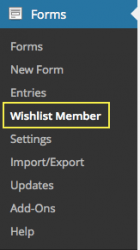
Benefits of Gravity Forms Wishlist Member Integration
Wishlist Member has its own built-in registration forms, but they can be limiting when you need custom fields, conditional logic, or advanced payment integrations. Gravity Forms, on the other hand, is the gold standard for WordPress forms. By combining them, you get:
- Fully customizable registration forms — Add any field you need: text inputs, dropdowns, file uploads, multi-step forms, and more.
- Conditional logic — Show or hide fields based on user selections. For example, show different pricing options based on the membership tier selected.
- Advanced payment collection — Use Gravity Forms’ built-in payment add-ons (Stripe, PayPal, Authorize.net) to handle subscriptions and one-time payments.
- Automated level assignment — The moment a user submits your form, Gravity Wishlist assigns them to the correct Wishlist Member level automatically.
- Subscription support — With the Pro license, you can set up recurring subscription billing through Gravity Forms, and Gravity Wishlist will keep the user’s membership level in sync.
Creative Ways to Use Gravity Wishlist
While the basic use case — registration form to membership level — is straightforward, Gravity Wishlist opens up several creative possibilities that can transform how you run your membership site.
1. Multi-Tier Membership with Tiered Pricing
Create a single Gravity Form that lets users choose between Basic ($19/mo), Pro ($49/mo), and Premium ($99/mo) tiers. Use conditional logic to show unique fields for each tier — for example, ask Pro users about their business size and Premium users about their specific industry needs. Gravity Wishlist maps each selection to the corresponding Wishlist Member level, so users get instant access to the right content.
2. Free Trial + Paid Upgrade Flow
Set up a registration form that creates a free trial membership in Wishlist Member. Use Gravity Forms’ User Registration add-on to create the WordPress user, then let Gravity Wishlist assign them to a “Free Trial” level. After the trial period, use a second Gravity Form to collect payment and upgrade them to a paid tier — Gravity Wishlist handles the level transition seamlessly.
3. Member Profile Updates and Upgrades
Don’t limit Gravity Wishlist to just initial registration. Create a “My Account” form that existing members can use to update their profile, change their membership tier, or update their payment method. Gravity Wishlist ensures that any changes to membership level are reflected immediately in Wishlist Member.
4. Webinar and Event Registration
If you run a membership site that includes live events or webinars, use Gravity Forms to handle event registration. With conditional logic, you can restrict certain events to specific membership levels. Gravity Wishlist cross-references the user’s current level and grants access accordingly.
5. Automated Coupon and Discount Codes
Combine Gravity Forms’ coupon add-on with Gravity Wishlist to offer time-limited discounts on membership upgrades. A returning user fills out a form with a coupon code, and Gravity Wishlist applies the discounted rate while assigning the correct upgraded membership level.

Getting Started Is Easy
Gravity Wishlist offers three pricing tiers to fit your needs:
- Basic ($59/year) — 1 site license, form customization, and automated level assignment.
- Pro ($99/year) — Everything in Basic, plus subscription support for recurring payments.
- Developer ($149/year) — Unlimited sites, all features from Basic and Pro.
Installation is straightforward: install the plugin, connect it to your Gravity Forms license, configure your Wishlist Member levels, and you’re ready to start building custom registration forms that automatically manage your membership levels.
Final Thoughts
Gravity Forms Wishlist Member integration gives WordPress site owners the flexibility to build professional membership registration forms while automating every step of the enrollment process. From custom registration fields and payment processing to automatic membership assignment and recurring subscriptions, Gravity Wishlist eliminates manual work and creates a seamless experience for both administrators and members.
Whether you’re launching a new membership website or improving an existing one, Gravity Wishlist makes it easy to connect Gravity Forms with Wishlist Member and build a more efficient membership platform.
Get Gravity Wishlist today and start building better membership forms.
