
Gravity Forms to Google Drive – GDrive Uploader
Upload files from Gravity Forms to Google Drive directly with ease, instantly syncing your form data to Google Drive for seamless file management.


Gravity Forms attachments directly to your Google Drive with ease. This powerful solution lets you seamlessly integrate Gravity Forms to Google Drive, one of the top cloud-based storage platforms, allowing you to automatically sync files uploaded via Gravity Forms to your business’s Google Drive account. Plus, give your users the ability to upload files from their own Google Drive for added convenience.
Benefits
Streamlined Workflow
Integrate file uploads with your existing Gravity Forms-powered processes, allowing for a more efficient workflow from form submission to file management.
Easy Access and Sharing
Quickly access and share uploaded files with team members or clients directly from Google Drive, facilitating collaboration and communication.
Reduced Storage Costs
Offload file storage to Google Drive, potentially reducing your website’s hosting costs and improving overall performance.
Features
Send Files To Google Drive


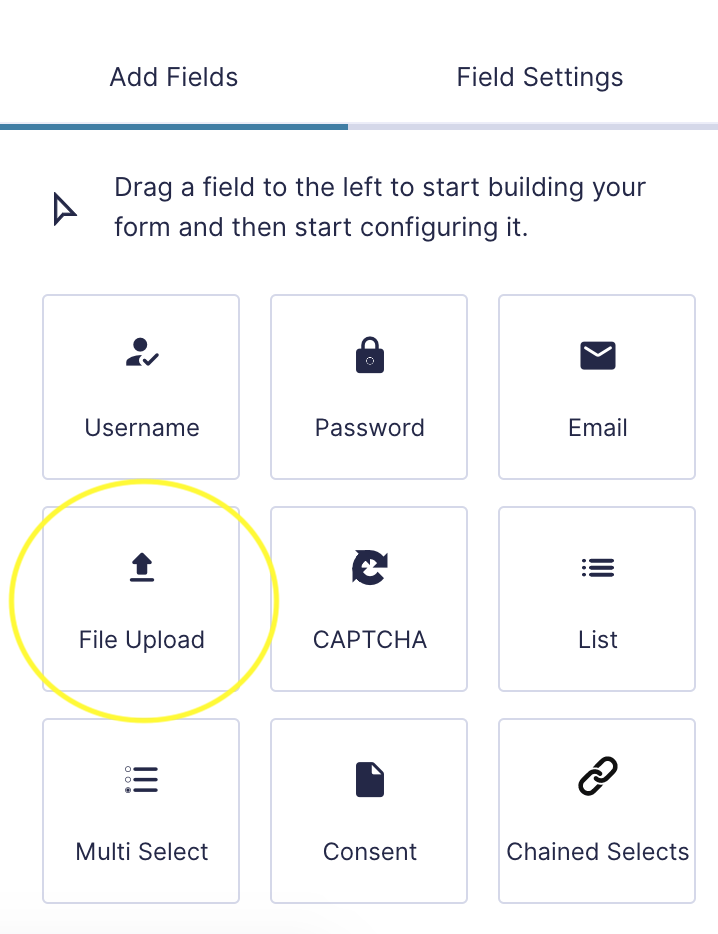
Uses Standard Upload Field
Simply insert a standard Gravity Forms File Upload field into any Gravity Forms form, and any file your visitors upload will be automatically added to the secure Google Drive folder you specify in the settings. With seamless Gravity Forms to Google Drive integration, uploaded files are instantly and reliably synced to your Google Drive, enhancing workflow, efficiency, and collaboration, streamlining file storage and access.
Lightning Fast Setup

Transfer or send attachments uploaded via your WordPress Gravity Forms to Google Drive by configuring an easy-to-setup Google Drive Feed. You can choose where Google Drive uploads should go using either a specific folder location or dynamically based on the form submission details. This integration ensures secure, organized, and efficient file management, improving workflow and accessibility.
Upload to Custom Folders
Upload files to a custom parent folder of your choosing using Gravity Forms to Google Drive integration, instead of the default “Gravity Forms Uploaded Files” folder.

Pro Feature
Use Form Fields to Name Folders
Use a form field to name and create new Google Drive folders where multiple files can be uploaded to. Let your form submitters name their own custom subfolders where their files will be uploaded to. For example, create folders based upon a visitor’s name, where all their files will be uploaded to.
Pricing
Basic
1 Site License- Send Files To Google Drive
- Uses Standard Upload Field
- Lightning Fast Setup
Pro
1 Site License- 1 Site License
- All Features from Basic
- Upload to Custom Folders
- Use Form Fields to Name Folders
Developer
Unlimited Site Licenses- Use on Unlimited Sites
- All Features from Basic
- All Features from Pro