


Gravity Wishlist is a WordPress plugin created to integrate Gravity Forms and Wishlist Member. When you use Gravity Forms for Wishlist Member, Gravity Wishlist automatically assigns your new customer to any particular Wishlist Member level you specify, saving you from doing this process manually.
When you use Gravity Forms for Wishlist Member, Gravity Wishlist automatically pulls all the necessary Wishlist Member information into your Gravity Forms fields, saving you time and making configuration quick and easy!
After activation, simply create a new integration between your Gravity Forms checkout form and Wishlist Member.

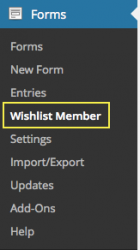
We know. Wishlist Member is truly awesome, but its checkout process lacks flexibility, power, and even aesthetics. When you use Gravity Forms for Wishlist Member, you gain access to one of the best-looking and most highly customizable checkout forms available, along with great add-ons like Stripe and PayPal Pro. With Gravity Wishlist, you can take full advantage of Gravity Forms’ versatility and register your new customers instantly into the Wishlist Member level of your choosing. This saves you time, money, and unnecessary hassle. Gravity Wishlist works similarly to most other Gravity Forms Add-ons, so there’s nothing new to learn here. After activating the plugin, you’ll see a Gravity Wishlist link appear under Gravity Forms settings in your dashboard.
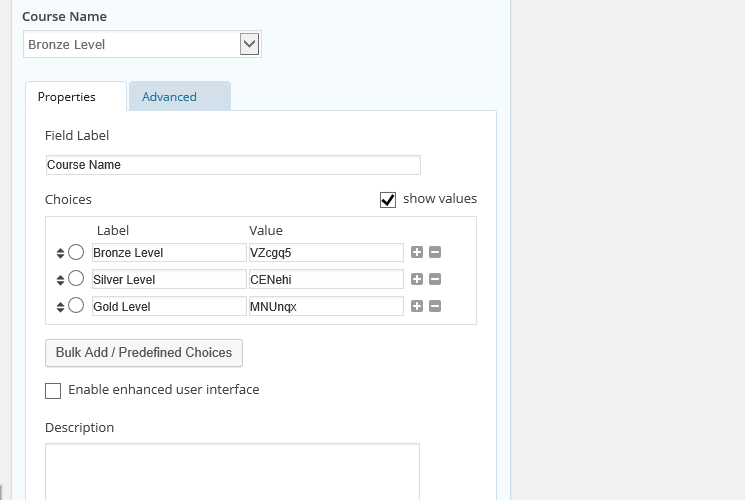
Not everyone wants to force their customers to fill out a lengthy registration form just to signup for their Wishlist Member site. With Gravity Wishlist, you have complete control over your signup form. You can use almost any Gravity Forms field in order for your customers to select which level they want to subscribe to. Alternatively you can also choose to use a text field and hide it from the customers so that they signup for the level you specify.
Using Gravity Forms built-in subscription support for all supported payment gateways (recurring payments), Gravity Wishlist will automatically expire users from their respective Wishlist Member level immediately the moment they either cancel their subscription or their payment fails. *Pro and Developer versions only. Standard version requires site owner to manually remove user in Wishlist Member if they cancel their Gravity Forms subscription or their payment fails.
